
How is == different from === in JavaScript?
When I started with JavaScript, I treated == and === as the same thing
with a different number of equals signs. They aren't, and the difference has
caught me out more than once.
The short version
=== checks the type and the value. If the types are different, the answer
is false and that's the end of it.
== converts both sides to a common type first, then compares them. That
conversion is called type coercion, and it's where the surprises come from.
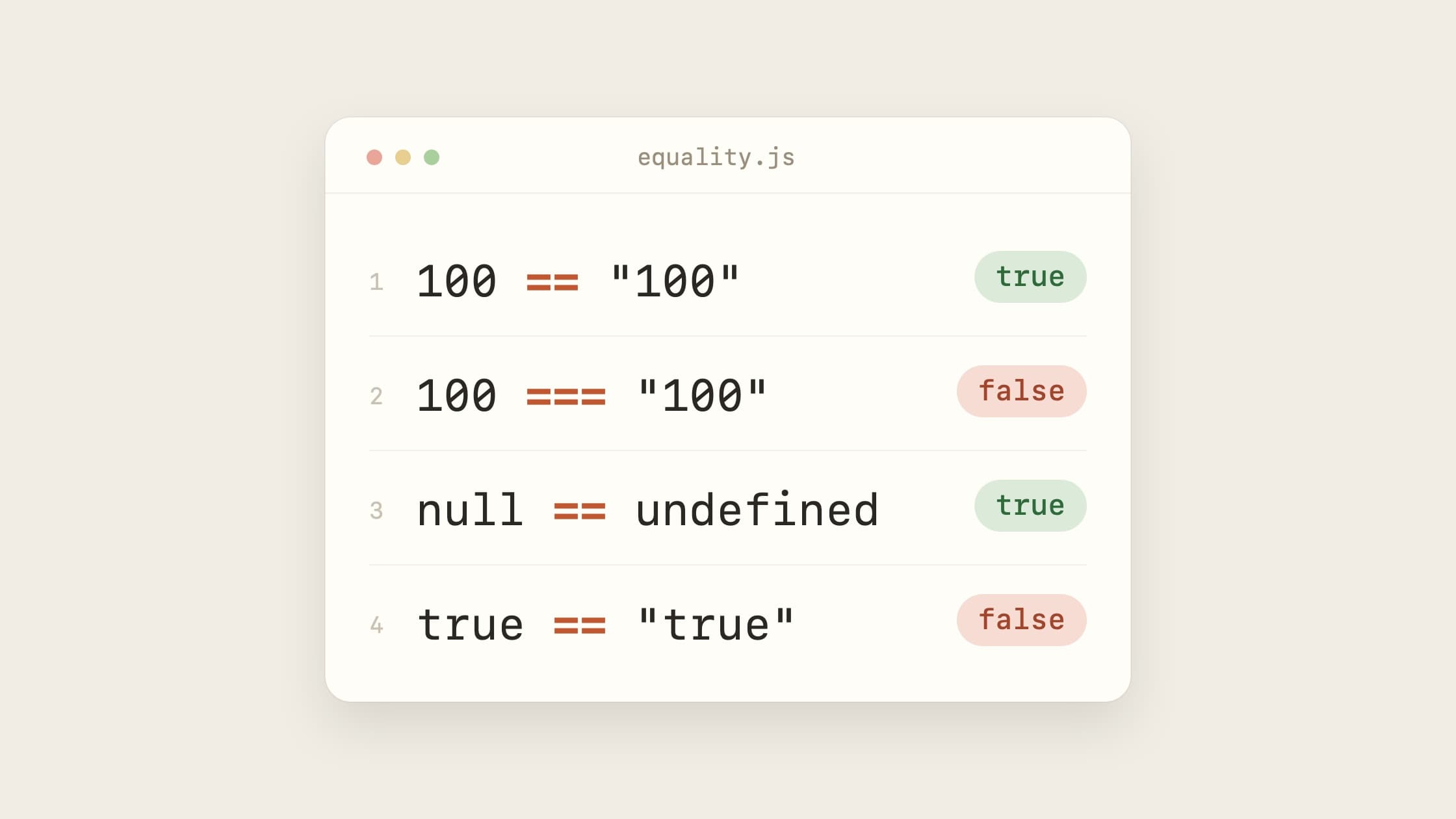
100 === "100"; // false: a number and a string
100 == "100"; // true: "100" becomes 100
The variables themselves don't change. The conversion only happens for the comparison.
What == converts
The full rules are in the spec, but these cover most of what you'll run into:
- A number and a string: the string becomes a number.
- A boolean and anything else: the boolean becomes a number first.
trueis1andfalseis0. - An object and a primitive: the object becomes a primitive, usually through
valueOf()ortoString(). nullandundefinedare equal to each other and to nothing else.
The boolean rule is the one that gets people:
true == "true"; // false
true becomes 1. Now it's a number against a string, so "true" becomes a
number too, and that's NaN. 1 == NaN is false. You'd never guess that
from reading the line.
When I use ==
Almost never. The one case I'm fine with is checking for "no value":
if (value == null) {
  // value is null or undefined
}
It's shorter than checking both, and it's the one place the coercion is easy
to predict. Everywhere else I use ===. ESLint's eqeqeq rule will nudge you
the same way.
If you're not sure which one you need, use ===. You'll rarely regret it.